Everything you need to keep the moment.
Flare does one thing really well: it records quietly, saves what you ask for, and makes it easy to share. Here's everything inside.
Always ready, never in the way.
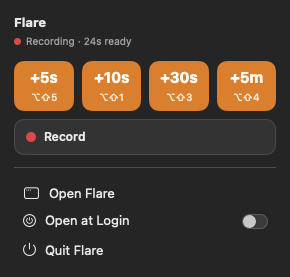
Flare keeps the last 30 seconds of your screen in memory, and up to 5 minutes on disk. Save the last 5 minutes, 30, 10 or 5 seconds from the menu bar or with a shortcut, whenever you want.
- Replay buffer — save after it happened, from the menu bar F or a shortcut
- +5 minutes — the whole match, not just the ending: the last 5 minutes are kept on disk, never in a pile of memory
- Long recordings — Record for as long as you like; the F turns into a pause icon
- Your shortcuts — change each one in Settings › Hotkey
- Pauses while locked — recording stops when the Mac locks or sleeps, and resumes after
- Everything on screen — including Flare's own window and menu, so tutorials show it too
Your quality, your frame rate.
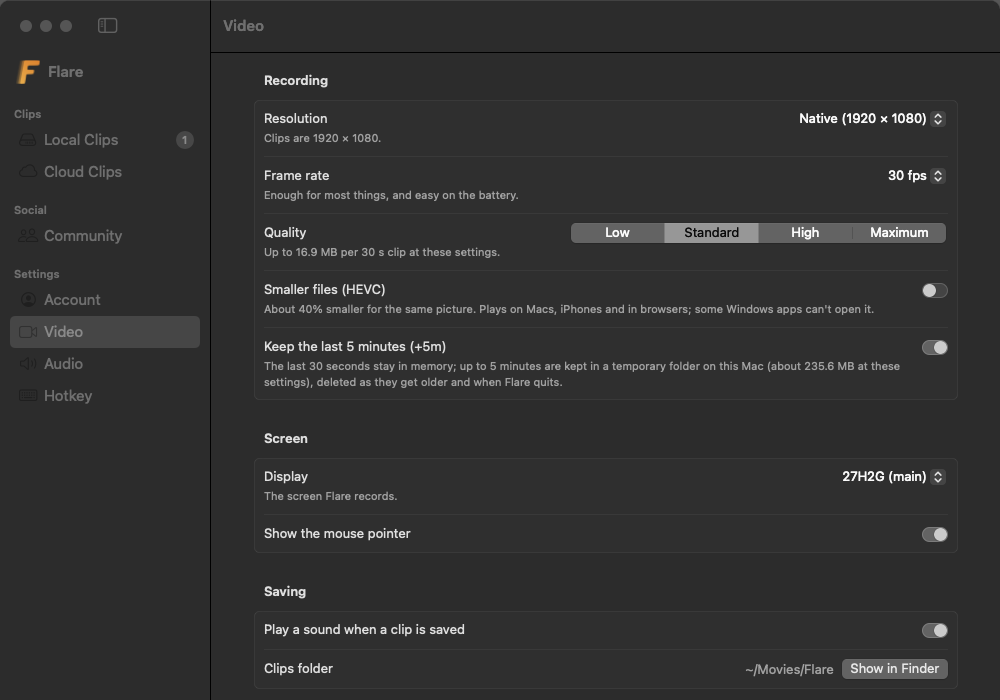
Pick what matters to you: crisp Native resolution for tutorials, 60 or 120 fps for fast games, or Low quality to save space.
- Native, 4K, 1440p, 1080p or 720p — depending on your screen
- 30, 60 or 120 fps (on ProMotion displays)
- Low, Standard, High or Maximum quality, with the size of a 30 s clip shown live
- Smaller files with HEVC, or H.264 for everything everywhere
- Choose the display to record, and whether to show the pointer
Hear the moment too.
Game sound and your voice, mixed into the same track at the volume you choose.
System audio
Sound from games, apps and videos. Flare's own sounds are never recorded.
Microphone
Any input device, including USB interfaces and aggregate devices, with its own volume.
Volumes
Balance game and voice separately, so your commentary never drowns the action (or the other way round).
Named after what you played.
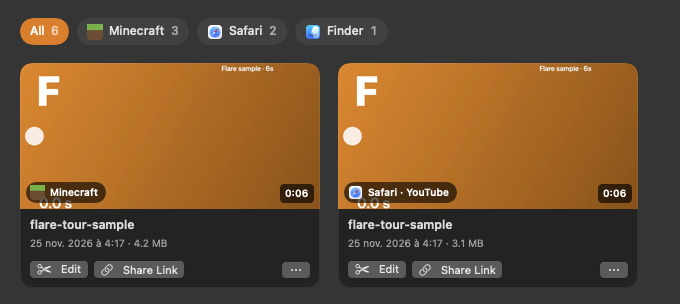
Flare looks at what's on screen while it records and names each clip after the app that filled it — with that app's own logo.
- Games behind Java or Wine are recognised by their real name (like Minecraft)
- Steam and App Store games, browsers with their website, and every other app
- Filter Local Clips by game, and see the logo on every card
Trim and crop without leaving Flare.
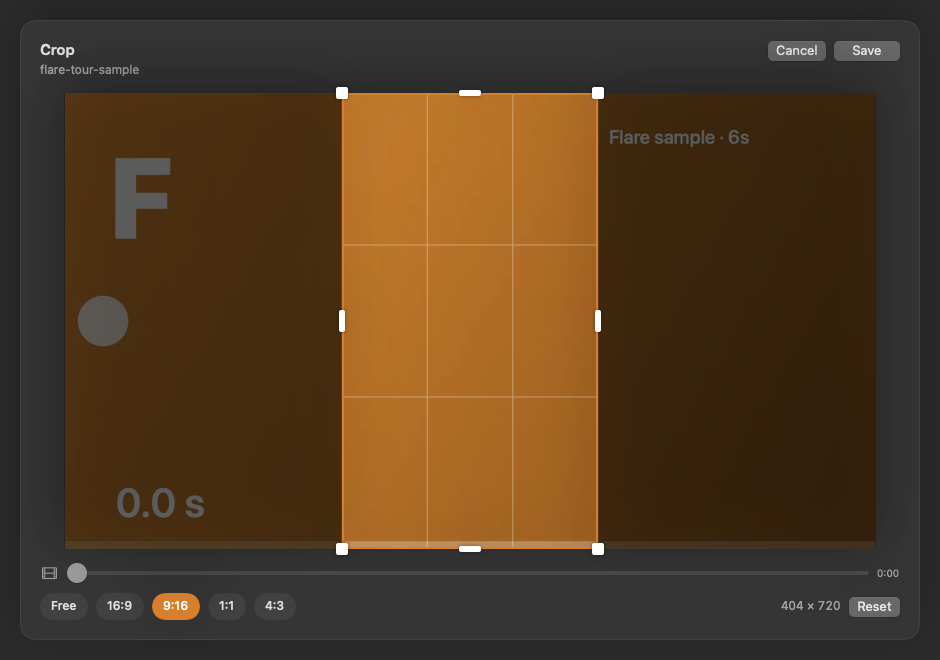
Drag two handles to keep just the good part, or crop to a vertical slice for TikTok, Shorts and Reels. Save replaces the clip; the original goes to the Trash, just in case.
- Lossless trimming: no re-encoding, done instantly
- Crop with presets — Free, 16:9, 9:16, 1:1, 4:3 — and a live size readout
- The clip keeps its name, date, app and logo
All your clips, one window.
Local Clips
Every clip on your Mac with its thumbnail, length, size and game. Double-click to edit.
The ⋯ menu
Download a copy, share with AirDrop or Messages, crop, upload to the cloud or delete — all in one place.
Share Link
Not in the cloud yet? Share Link asks to upload it, then copies the link when it's done.
Share without sending files.
Upload a clip from Flare and get a link to a page that plays it in any browser, with a preview in Discord and other apps.
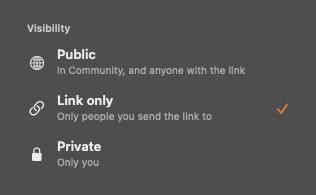
- Public, Link only or Private — change it any time
- Public clips appear in the Community, here and in the app
- 1 GB of free space per account
Log in your way.
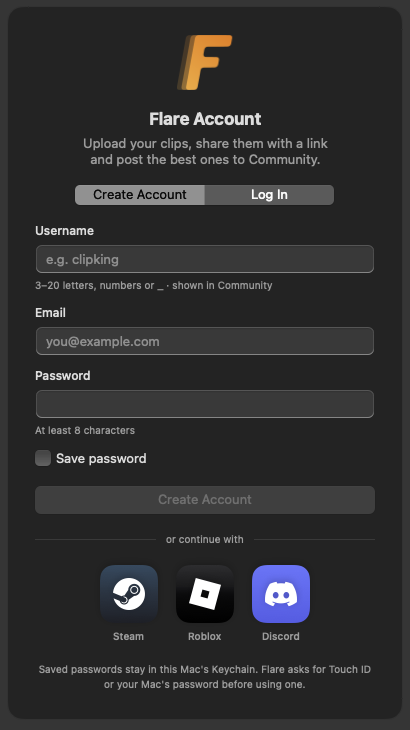
Create an account with your email — Flare sends a link to confirm it — or continue with Steam. Your avatar can follow your Steam picture.
- Saved passwords stay in your Mac's Keychain, unlocked with Touch ID
- Connect Steam (and Roblox or Discord when available) to an email account
- Delete your account and all its cloud clips from the app, any time
Built to stay out of your way.
Local first
Clips are saved on your Mac. The replay lives in memory (and the last 5 minutes in a temporary folder) and is thrown away as it rolls.
Light on your Mac
Hardware video encoding in power-saving mode, a smaller frame rate by default, and memory that stays flat.
Secure by design
A signed, hardened app. Passwords are never stored on your Mac in plain text, and only you can see private clips.