Share clips with one link.
Flare Cloud is built into the app. Upload a clip, copy its link, and anyone can watch it in their browser — no app, no account, no huge file to send.
Upload
In Local Clips, click ⋯ › Upload to Cloud — or just click Share Link and say yes.
Share
The link is copied for you. It opens a page that plays the clip, and shows a preview in Discord and other apps.
Choose who sees it
Public, Link only or Private. Public clips go to the Community.
Free
- 1 GB of cloud space
- Share links that play in any browser
- Public, Link only and Private clips
- Post to the Community
- Log in with email or Steam
- Save to Local Clips from any Mac
Room for your best
At the default settings (1080p, 30 fps, Standard quality) a 30-second clip weighs up to about 17 MB: 1 GB holds at least sixty of them, and many more when the screen doesn't move much. Turn on Smaller files (HEVC) in Settings › Video to fit about 40% more.
Delete a cloud clip any time to free its space. Clips on your Mac never count.
Log in the way you like.
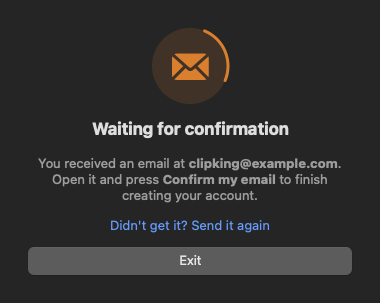
Create an account with your email (Flare sends a link to confirm it) or continue with your gaming account. Your Flare avatar can be your Steam picture.
Roblox and Discord appear in the app as soon as they're switched on.
Good to know
Who can watch a Link only clip?
Anyone you send the link to. It isn't listed in the Community or found by search engines. Links are long and random, so they can't be guessed.
Can I make a clip private again?
Yes. Switch it to Private and its link stops working for everyone else immediately — you can still watch it in Flare.
What happens when I delete my account?
Every cloud clip, link and your avatar are deleted for good. Clips on your Mac stay exactly where they are.
Is there a paid plan?
Not today. Every account gets the same free 1 GB.